

Blog
How to Build Your First Website Using HTML, CSS, and JavaScript
Have you ever looked at a website and wondered, “How was this made?” The good news is that every website on the…
Read article

If you have been wondering how you can always keep your facebook account safe, and avoid creating multiple accounts, then this post is for you. Today, we will be educating you on one of the best security measures Facebook users use to keep their accounts safe. It is called Two-Factor Authentication. Read on, and apply the knowledge immediately, so you can be safe.
Two-factor authentication is a security feature that helps protect your Facebook account in addition to your password. If you set up two-factor authentication, you’ll be asked to enter a special login code or confirm your login attempt each time someone tries accessing your Facebook account from a browser or mobile device that Facebook don’t recognise, or that you don’t usually use. You can also get alerts when someone tries logging in from a browser or mobile device that Facebook doesn’t recognise.
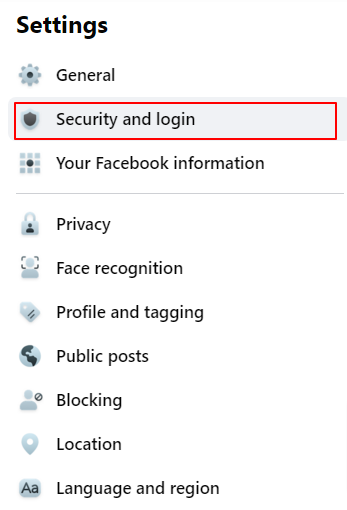
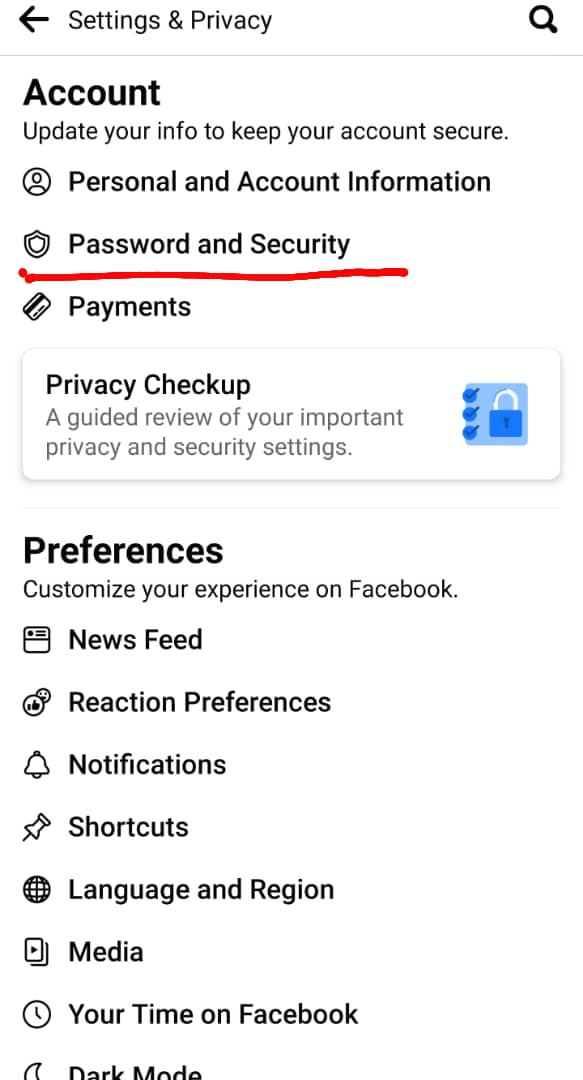
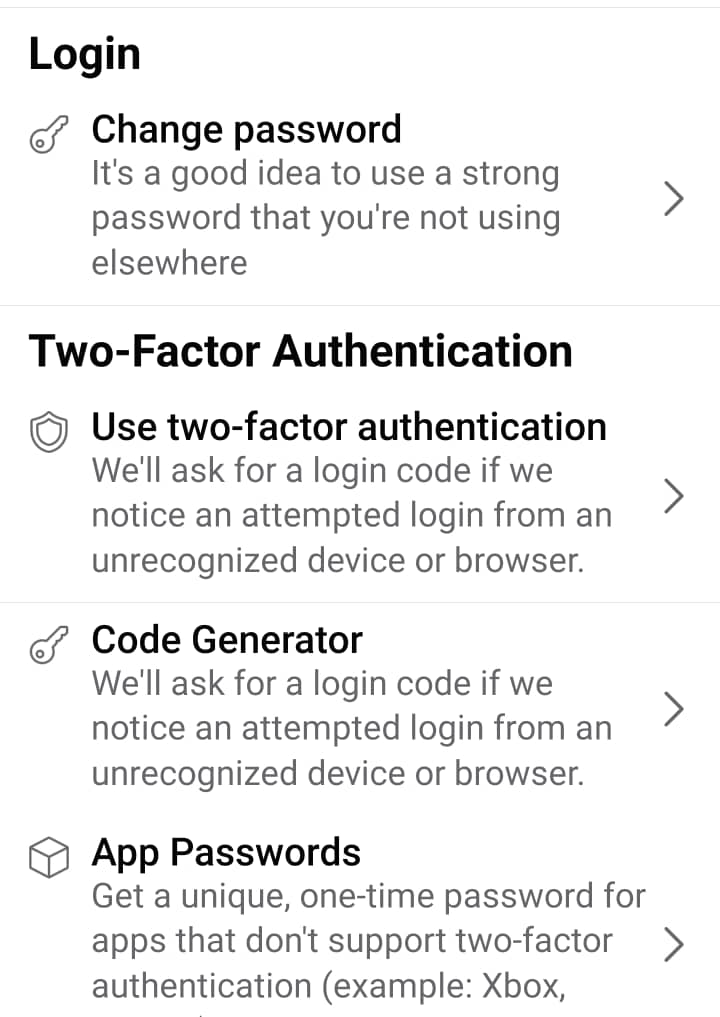
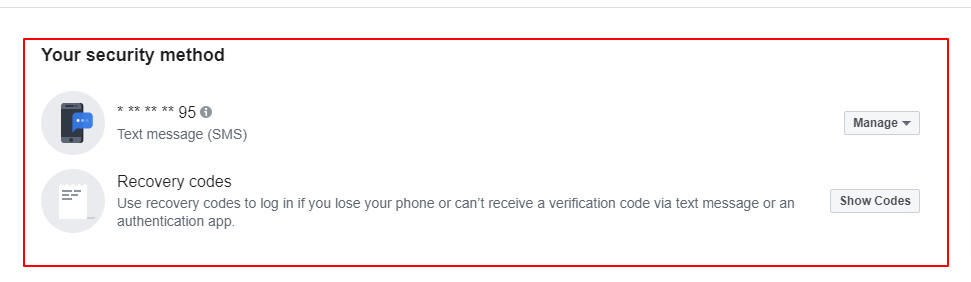
You may be asked to enter your password to continue. When you set up two-factor authentication on Facebook, you’ll be asked to choose one of three security methods:
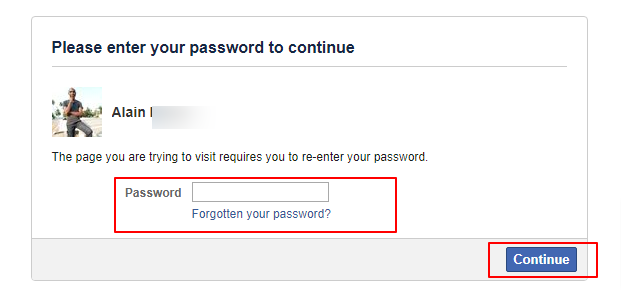
Once you choose any of the security options, you will be guided on-screen on how to complete the process. Just follow the brief instructions to go through the process. After which, your account will be secured, when you see, Two-factor authentication is on.
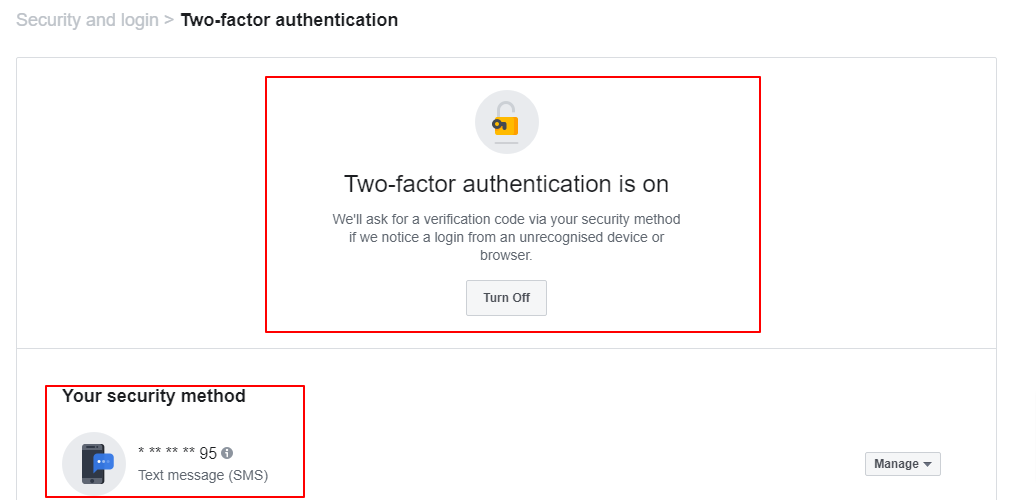
If you haven’t saved the browser or mobile device that you’re using, you’ll be asked to do so when you turn on two-factor authentication. This way, you won’t have to enter a security code when you log in again. Don’t click Save this browser if you’re using a public computer that other people can access (e.g. a library computer).
Facebook need to be able to remember your computer and browser information so that they can recognise it the next time you log in. Some browser features block this. If you’ve turned on private browsing or set up your browser to clear your history every time it closes, you might have to enter a code every time you log in.
To set up text message (SMS) two-factor authentication, you can either use a mobile number that’s already been added to your account or add a new number.
Want to become an IT expert? Check /program/software-engineering/
Have you ever looked at a website and wondered, “How was this made?” The good news is that every website on the…
Read article
Web development has been around for decades, but it remains one of the most valuable careers in the world. Even with new…
Read article
What serious plumbing training should include—from safe installations and diagnosis to costing, customer service and enterprise.
Read article